XGRIDSDocs
  • 简体中文
  • English
  • 繁體中文
  • 日本語
  • Deutsch
  • Español
  • Italiano
  • 简体中文
  • English
  • 繁體中文
  • 日本語
  • Deutsch
  • Español
  • Italiano
  • Lixel CyberColor

    • LCC Studio

      • Getting Started
      • Version and Updates
      • Download and Installation
      • Interface Overview and Navigation
      • Pre-Reconstruction Work
      • Model Reconstruction
      • Single Model Reconstruction
      • Map Fusion
      • Aerial-Ground Map Fusion
      • Aerial Reconstruction
      • My Models
      • Other Features
      • Settings and Account
      • Video Reconstruction
    • LCC Scene Editor

      • Version and Updates
      • Account and Sign-In
      • Product Overview and Home
      • Editor Interface
      • Navigation Modes
      • File
      • Settings
      • Edit
      • Window
      • Global Toolbar
      • Assets and Properties
      • Left Toolbar
      • Viewpoint
      • Skybox
      • Annotation
      • Measure
      • Flythrough
      • Scene Report
      • 3D Layout
      • Preview Mode (Viewer)
      • Help
      • FAQ
    • LCC Model Editor

      • Overview and Interface
      • File Operations
      • Selectors
      • Editing Models
      • Measurement
      • Color Grading
      • Asset Management
      • Settings and Help
    • Version History

Map Fusion

Map Fusion supports uploading multiple segments of capture data at once. Through a highly automated process, the data is preprocessed, calibrated, and matched, then intelligently stitched into a complete 3D model.

Workflow

Batch Upload Multiple Capture Data Segments

  • Capture Data: Batch upload multiple data segments captured by the same device. The interface displays the corresponding device type.

Note: The Lixel L2 Pro device distinguishes between 16-line and 32-line versions. Different versions of the same model cannot be used together for map fusion.

  • Add Additional Capture Data: Upload capture data to be fused sequentially following the workflow. Up to 10 segments can be fused.

Set Model Name and Parameters
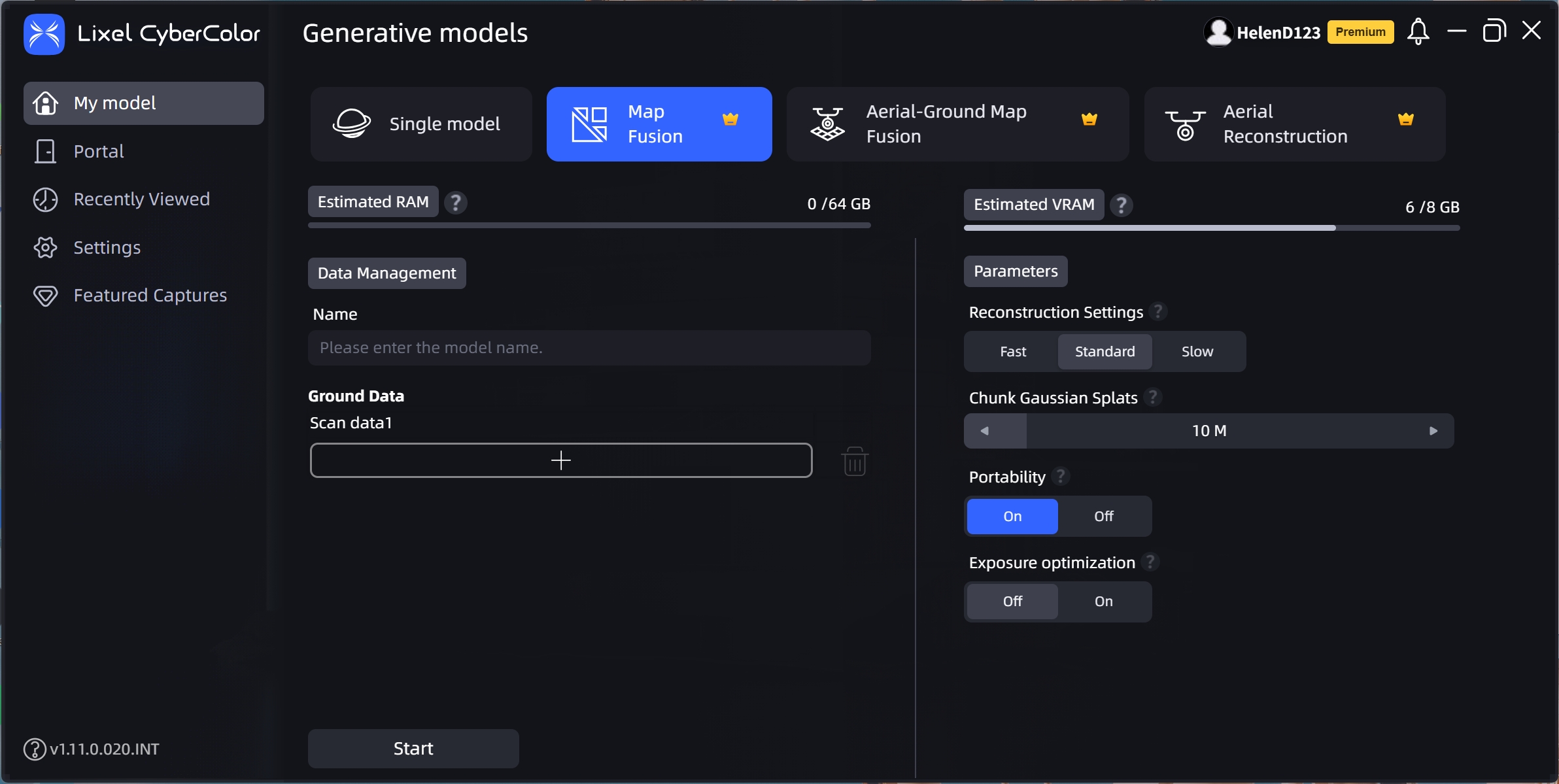
Map Fusion

Map Fusion

Prev
Single Model Reconstruction
Next
Aerial-Ground Map Fusion