XGRIDSDocs
  • 简体中文
  • English
  • 繁體中文
  • 日本語
  • Deutsch
  • Español
  • Italiano
  • 简体中文
  • English
  • 繁體中文
  • 日本語
  • Deutsch
  • Español
  • Italiano
  • Lixel CyberColor

    • LCC Studio

      • Getting Started
      • Version and Updates
      • Download and Installation
      • Interface Overview and Navigation
      • Pre-Reconstruction Work
      • Model Reconstruction
      • Single Model Reconstruction
      • Map Fusion
      • Aerial-Ground Map Fusion
      • Aerial Reconstruction
      • My Models
      • Other Features
      • Settings and Account
      • Video Reconstruction
    • LCC Scene Editor

      • Version and Updates
      • Account and Sign-In
      • Product Overview and Home
      • Editor Interface
      • Navigation Modes
      • File
      • Settings
      • Edit
      • Window
      • Global Toolbar
      • Assets and Properties
      • Left Toolbar
      • Viewpoint
      • Skybox
      • Annotation
      • Measure
      • Flythrough
      • Scene Report
      • 3D Layout
      • Preview Mode (Viewer)
      • Help
      • FAQ
    • LCC Model Editor

      • Overview and Interface
      • File Operations
      • Selectors
      • Editing Models
      • Measurement
      • Color Grading
      • Asset Management
      • Settings and Help
    • Version History

Left Toolbar

The left toolbar shows different tools per mode.

General Mode

General Mode includes transform tools and function tools.
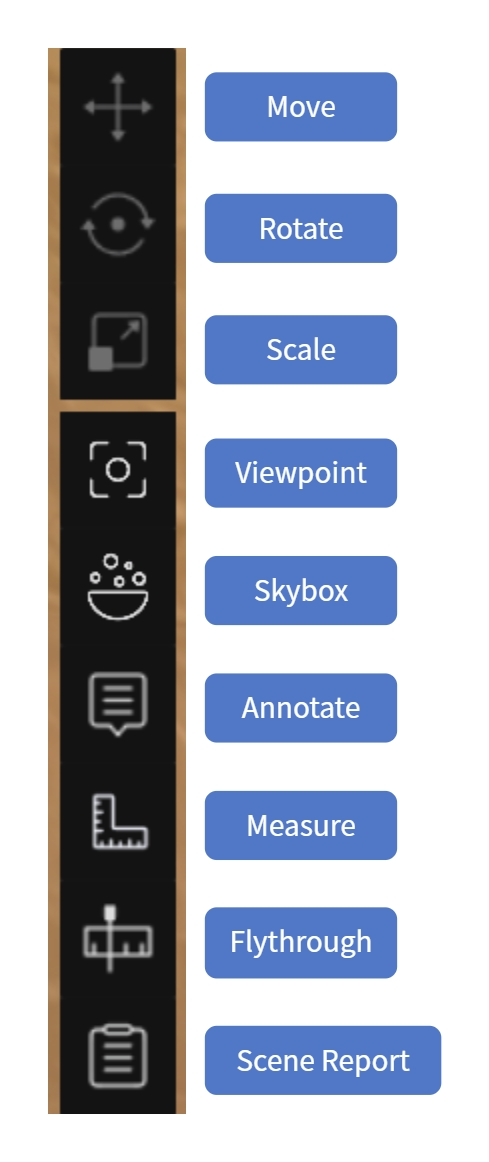
General Mode left toolbar

General Mode left toolbar

Transform Tools

Adjust the position of a selected model or asset.

ToolDescription
MoveTranslate along the X/Y/Z axes
RotateRotate around the X/Y/Z axes
ScaleScale uniformly

When active, the gizmo appears at the object center; drag a handle to operate.

Function Tools

ToolDescriptionSection
ViewpointCreate and manage Guided Tour / Flythrough Path / Area ViewViewpoint
SkyboxReplace the scene backgroundSkybox
AnnotateAdd annotation pointsAnnotation
MeasureGet coordinate, distance, and area dataMeasure
FlythroughRecord a camera flythrough and output videoFlythrough
Scene ReportGenerate and manage scene reportsScene Report

Scene Mode

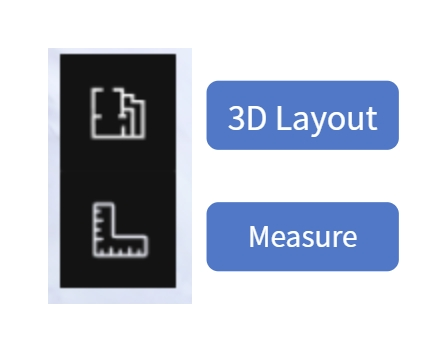
Scene Mode left toolbar

Scene Mode left toolbar

ToolDescriptionSection
3D LayoutView and edit AI-generated floor plans; plot walls/doors/windows3D Layout
MeasureGet coordinate, distance, and area dataMeasure
Prev
Assets and Properties
Next
Viewpoint