
Settings
Open the Settings panel to manage Editor configuration.
Entry: Menu Bar → File → Settings
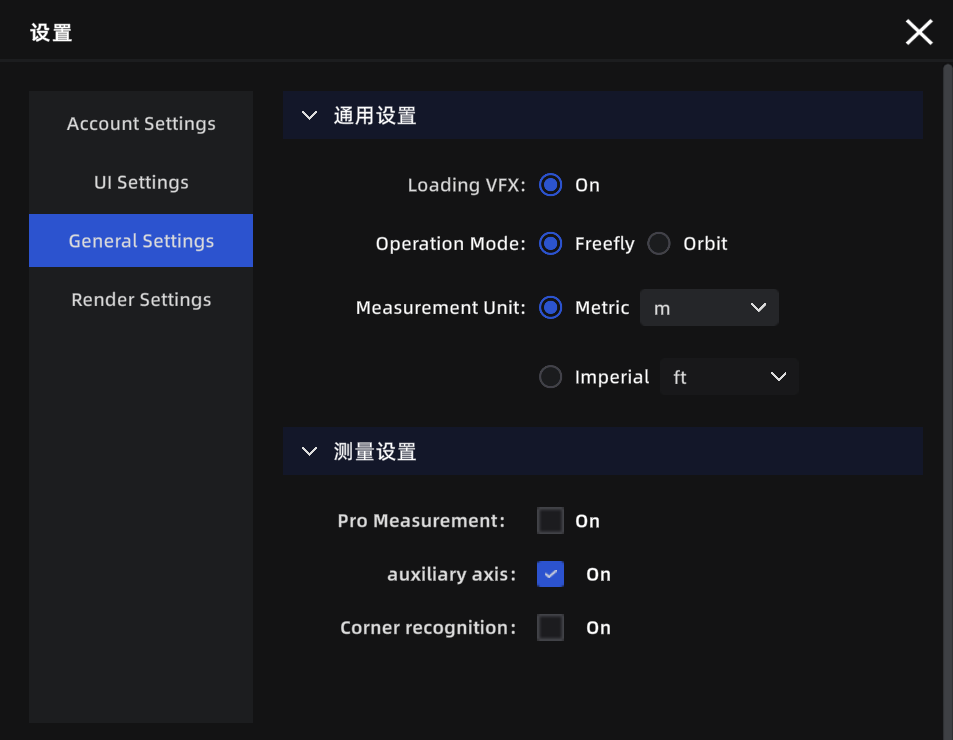
Settings panel
Account
| Setting | Description |
|---|---|
| User info | View the signed-in account name and avatar |
| Terms of Service | View the Terms of Service |
| Privacy Policy | View the Privacy Policy |
| LCC Improvement Program | Choose whether to join the product experience improvement program |
| Sign Out | Sign out of the current account |
UI
| Setting | Description |
|---|---|
| Language | Switch interface language (Chinese / English / Japanese / Traditional Chinese / Italian / German / Spanish) |
| Show grid | Show a reference grid at the bottom of the 3D view to gauge model position and scale |
| Grid opacity | Adjust grid transparency: 0% fully transparent, 100% fully opaque |
General
| Setting | Description | Default |
|---|---|---|
| Default navigation mode | Navigation mode used each time a project opens | First-Person |
| Measurement units | Switch measurement display units (metric / imperial) | Metric |
| Metric unit | Length unit under metric (meters / centimeters) | Meters |
| Imperial unit | Length unit under imperial (feet / inches) | Feet |
| Professional measurement | Also show X/Y/Z component values in measurement results | Off |
| Auxiliary axis | Snap measurement points to the X/Y/Z axes for horizontal or vertical distances | Off |
| Corner detection | Auto-detect model edges and corners to improve point-pick precision | Off |
Note: Auxiliary axis and corner detection can also be toggled live during measurement with Ctrl / Tab.
Render
| Setting | Description | Default |
|---|---|---|
| Render quality | Higher quality is sharper but more demanding on hardware | Auto-recommended by hardware |
| Graphics API | If the image tears or flickers, try switching this | DirectX 12 |
Note: All settings are global and apply across projects.