
Edit
Entry: Menu bar → Edit
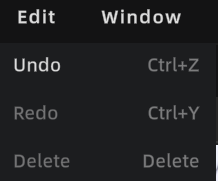
Edit menu
Undo
Operation: Press Ctrl + Z, or click the Undo button in the toolbar to revert the most recent operation.
Unified Undo/Redo mechanism with significantly expanded coverage:
| Operation Type | Undo Supported |
|---|---|
| 3D object transforms (Move/Rotate/Scale) | ✅ |
| Viewpoint operations (Add/Move/Delete) | ✅ |
| Annotation operations (Add/Move/Delete) | ✅ |
| Skybox operations (Switch/Activate/Disable) | ✅ |
| Measurement operations (Add/Delete) | ✅ |
| Scene Report editing | ❌ Paused (button greyed out) |
| During video rendering | ❌ Paused (button greyed out) |
| In Preview Mode | ❌ Paused (button greyed out) |
History limit: 100 steps. When exceeded, the earliest records are automatically discarded. Undo history is cleared when the project is closed.
3D Layout independent undo stack:
- When entering the 3D Layout module, the system switches to an independent 2D undo stack
- Operations performed in 3D Layout are undone with
Ctrl+Zonly within the 2D context - After exiting 3D Layout, the 2D undo stack is cleared and the 3D global undo stack resumes
Redo
Operation: Press Ctrl + Y, or click the Redo button in the toolbar to restore undone operations.
Note: After performing a new operation, the redo history is immediately cleared.
Delete
Press the Delete key to delete the currently selected object or element.