
Letting 3DGS Take Part in Scene Lighting: Normal Generation Modes
Overview
3DGS produces no real geometric normals. When Lit mode is enabled, a normal must be generated for every pixel so the standard Unreal Engine lighting pipeline works.
LCC4Unreal offers 4 normal generation modes (LCC2 pipeline only), each making a different trade-off between visual stability, shading quality, and authoring cost.
Choosing a Mode
Set NormalMode on ULCC2Component:
| Mode | Camera-stable | Shape shading | Setup effort | GPU cost |
|---|---|---|---|---|
| Fixed | Yes | None | Minimal | Lowest |
| ViewFacing | No | None | Minimal | Low |
| Hemispherical | Yes | Approximate | Needs tuning | Low |
| ProxyMesh | Yes | Real | Needs modeling | Medium |
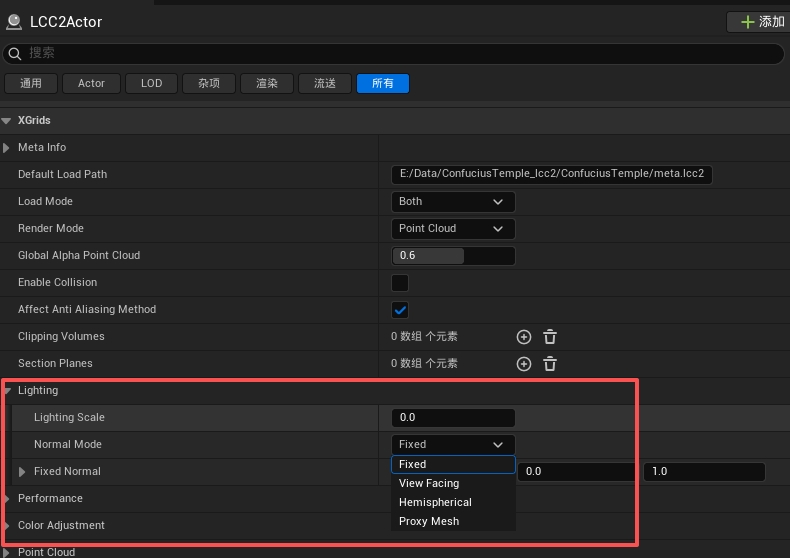
Selecting the normal generation mode on the component
Fixed (default)
Uses a single world-space normal for the entire splat. All pixels share one brightness value.
- Default direction: world up (0, 0, 1)
- Change the direction through the
FixedNormalproperty (no normalization required) - Fully stable, unaffected by camera movement
- No shape shading
Use cases: architectural visualization, top-down daylight scenes.
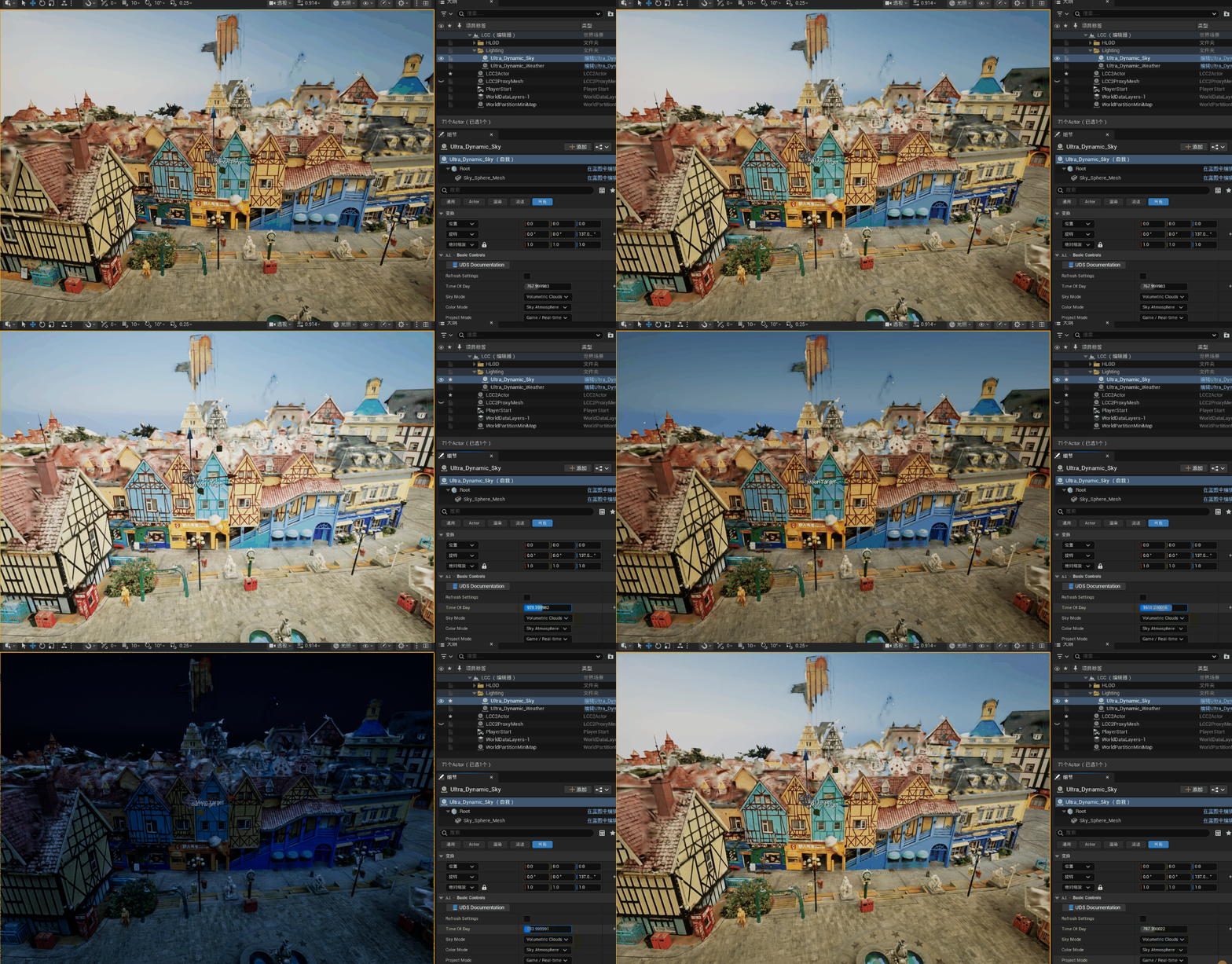
Lighting with the Fixed normal mode
ViewFacing
Normals face the camera, producing even illumination.
- Simple, works out of the box
- Brightness changes as the camera rotates
Use cases: quick previews, interactive exploration.
Lighting with the ViewFacing normal mode
Hemispherical
Maps screen position onto a fixed world-space hemisphere, producing a smooth curved distribution of normals.
Configurable parameters:
NormalPole: the surface facing direction, default (1, 0, 1)NormalHemiSpread: the strength of the shading variation, range 0~4, default 0.5
Characteristics:
- Stable lighting, unaffected by camera movement
- Directional lights produce a natural arc-shaped light-to-dark transition
- Still an approximation, not real shape shading
Use cases: large outdoor scenes, drone capture, high-quality shading without proxy geometry.
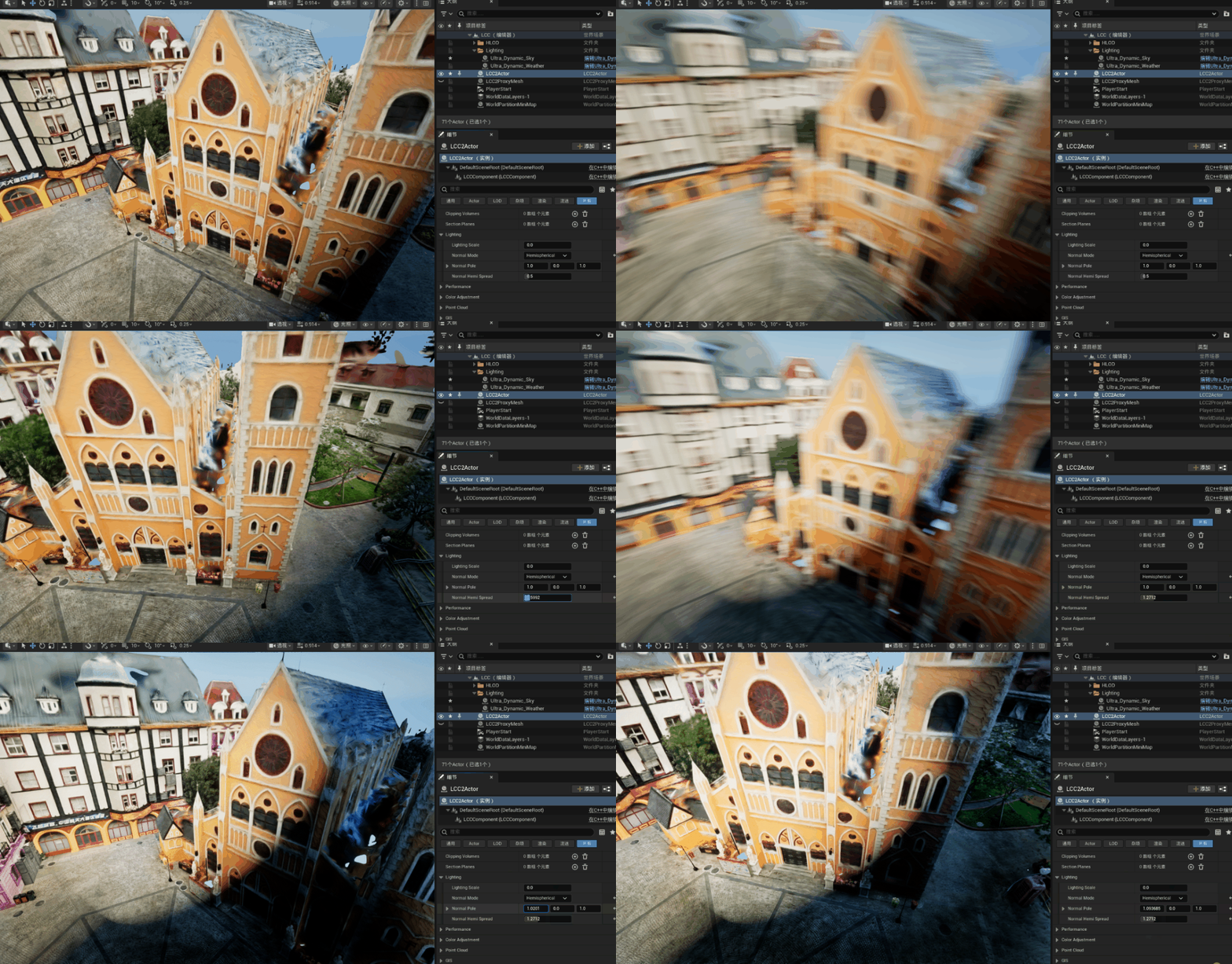
Lighting with the Hemispherical normal mode
ProxyMesh (Pro edition feature)
The only mode with real shape shading. Uses proxy mesh Actors placed in the scene to provide real normals and depth.
- Requires placing an
ALCC2ProxyMeshActor and assigning a StaticMesh - Pairing is purely spatial, with no manual association required
- Falls back to Fixed automatically without a license; see Editions and Licensing
- The stored property value is not modified
See ProxyMesh Guide for details.
Real shape lighting with the ProxyMesh normal mode
LCC2 Lighting Scale
The LightingScale property (0~1) controls the brightness of the original 3DGS colors before scene lighting:
- 0 = fully driven by scene lighting
- 1 = keeps the captured brightness intact
Because captured colors already contain baked lighting, a lower value reduces overexposure.